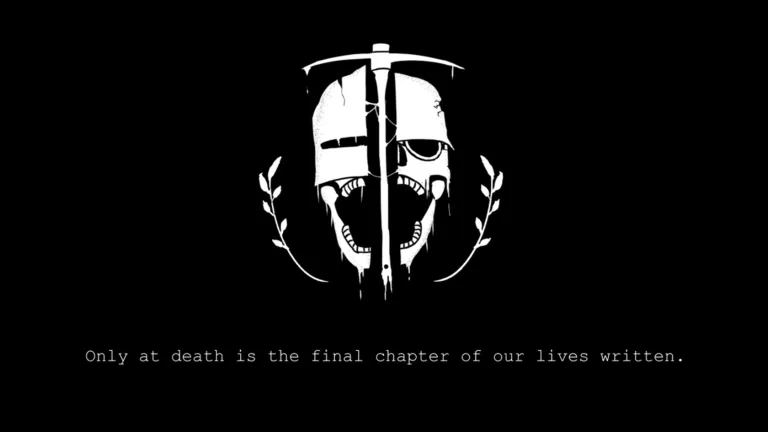
Grave Digger Roblox Art: Best Tips and Fan Inspiration Guide
Discover the best Grave Digger Roblox art inspiration and community tips. Learn how to showcase your favorite game moments with style and creativity.
Published: Grave Digger Wiki Editorial Team
Video Guide
THE KINGSLAYER / / [ GRAVE / DIGGER TRIBUTE ]Table of Contents
The world of Roblox is vast, but few experiences capture the dark, atmospheric intensity quite like Grave Digger. Whether you are a seasoned player hunting down targets or a creative enthusiast looking to capture the game's unique aesthetic, Grave Digger offers a wealth of inspiration for digital artists and content creators alike. Understanding how to translate this intense gameplay into compelling Grave Digger Roblox art is the key to standing out in the community.
In this guide, we explore why this title has become a hotbed for fan creativity and how you can level up your own projects. By focusing on the game’s signature atmosphere and high-stakes mechanics, you can create pieces that resonate deeply with fellow fans. Let’s dive into the tools, techniques, and community insights that make this game a visual standout.
Official posters and promos are catalogued in our assets guide.
Capturing the Essence of Grave Digger
To create impactful Grave Digger Roblox art, you must first understand the core gameplay loop. Unlike typical casual experiences, the game focuses on a gritty, methodical approach to hunting. If you look at community highlights, such as Jaeger’s Bizarre Hunting Trip, you can see how the animation and storytelling emphasize the tension of the hunt.
When crafting your art, focus on these three pillars:
Atmosphere: Use desaturated tones and high-contrast lighting to mimic the game's environment.
Action: Depict the "boomstick" or other tools of the trade in motion.
Identity: Ensure your character designs reflect the unique, somewhat unsettling aesthetic of the game world.
Why Visualizing Your Gameplay Matters
Great art acts as a bridge between the game and the community. It allows players to relive their most intense moments—like that narrow escape from a target—and share those feelings with others. It isn't just about drawing; it's about storytelling.
Essential Tools for Roblox Fan Artists
If you are just starting your journey into creating fan content, you need the right toolkit. Many top-tier creators within the Roblox ecosystem use a combination of software to achieve that professional "Roblox look" while maintaining their personal style.
Tool Type
Recommended Software
Why Use It?
3D Modeling
Roblox Studio / Blender
Essential for posing characters and importing assets.
Editing
Adobe Photoshop / GIMP
Perfect for adding atmospheric filters and lighting effects.
Animation
Moon Animator / Blender
Best for creating fluid, dynamic action sequences.
Capture
OBS Studio
Necessary for grabbing high-quality reference shots in-game.
Tip
Use Reference Shots
Always take screenshots of your character in different lighting conditions within the game. Having a library of high-quality references makes your drawing process significantly faster and more accurate.
Mastering the Aesthetic: A Step-by-Step Approach
Creating Grave Digger Roblox art requires a balance between the blocky, recognizable Roblox aesthetic and the gritty, realistic themes of the game. Follow these steps to refine your workflow:
Select Your Scene: Don't just draw a portrait. Find a dynamic action moment—like the tension before a "harvest" or a quiet, eerie walk through the map.
Define the Lighting: The game uses shadow to build suspense. Use "Rim Lighting" to make your characters pop against the dark backgrounds.
Add Textural Details: Focus on the gear. The shotgun/boomstick is a central element; ensuring it looks worn and used adds authenticity.
Community Feedback: Share your work-in-progress shots in Discord servers or community forums to get constructive feedback early.
Common Mistakes to Avoid
Many artists fall into the trap of over-complicating the character models. Remember that the charm of Roblox art often lies in the recognizable simplicity of the characters combined with highly detailed environments. Don't lose the "Roblox feel" in your pursuit of hyper-realism.
Community Insights and Trends
The community surrounding the game is incredibly active. According to recent reports, fan-made content often centers on "hunting narratives." These are short, storyboard-like pieces that follow a hunter’s journey.
Trend Type
Focus Area
Popularity
Action Storyboards
High-intensity combat sequences
High
Character Profiles
Detailed gear and outfit showcases
Medium
Environmental Art
Capturing the dark, eerie maps
High
Speedpaints
Showing the creation process
Medium
Players often note that the best art is that which makes the viewer feel the suspense of the hunt. If your art can make someone feel the weight of the "boomstick" or the coldness of the hunt, you have succeeded.
Engaging with the Official Ecosystem
To stay updated on the latest mechanics and visual updates, always refer to the official game page. By understanding the developer's vision, you can ensure your art remains relevant. Sometimes, the developer, Archeximus, introduces new items or mechanics that can serve as fresh subject matter for your next project.
Why Your Art Matters for Growth
When you share your work, you aren't just showing off a drawing; you are contributing to the game's culture. High-quality fan art can draw new players into the community, helping the game grow. Whether it is a digital painting or a 3D render, your contribution helps build the lore of the game.
FAQ: Frequently Asked Questions
Q: Where can I find the best references for Grave Digger Roblox art?
A: You can find inspiration by checking community hubs like Pinterest or by playing the game directly to capture your own unique screenshots.
Q: Do I need to be an expert in Blender to make good art?
A: Not at all! Many creators start with simple screenshots and use photo editing software to enhance the lighting and mood. Creativity is more important than technical software mastery.
Q: Can I share my Grave Digger art on social media?
A: Absolutely. The community loves seeing new interpretations of the game’s characters and hunting scenarios. Always tag your work appropriately so other fans can find it.
Q: How do I make my art look more professional?
A: Focus on lighting and composition. Even a simple pose becomes professional if the lighting creates a strong mood or tells a clear story about the character's current situation.